

Introduction
Search engine algorithms have evolved through time. In the past, it was all about keywords and building a web of backlinks in order to rank high on search engines. But now, the user experience is central to how any website is ranked, discovered, and engaged with. This has become a great deal of evolutionary jump from a technical diver to philosophical canyons. Modern-day SEO for websites requires more than obeying Crawl and Rule; on any rating scale are factors such as usability, accessibility, and the performance of the website. But what exactly is user experience when it comes to SEO? From an SEO viewpoint, it is taking into account a few dimensions, of which two are user accessibility from the SERPs and how well they can navigate through your site-plus another one is whether all users can access your site. Google not only wants to rank the best-optimized pages, but it wants to rank the ones deserving above all. This is why the user experience and SEO link have progressed from being only needed to being the primary component.
In this blog, you will take an almost all round trip through UX and SEO. Starting from Core Web Vitals and site architecture implications to user behavioral signals and personalized experiences, we will offer you designs for seeing which attributes of UX might directly impact your rankings, good ways to identify mistakes that many people are more then likely to make, and explain why this concept, "go for better user experience and improve your SEO," actually is among those smart SEO solutions for 2025 and beyond.
Is User Experience a Factor in Ranking? Myths and Realities Busted
The question that starts off a debate that could stretch on indefinitely among SEO practitioners is whether indeed user experience (UX) becomes a ranking factor; the answer to both could be construed in a simple manner, but this is the complication. Google wouldn't refer to "user experience" as a single signal but rather evaluate various interconnected UX components impacting how your site performs in search. Here, we shall break off the differences between direct and indirect ranking factors, what Google's official communication says, and what is seen, and how user experience creates a powerful feedback loop that can either make or break your organic performance.
Clarifying Direct Vs. Indirect Signals of Ranking
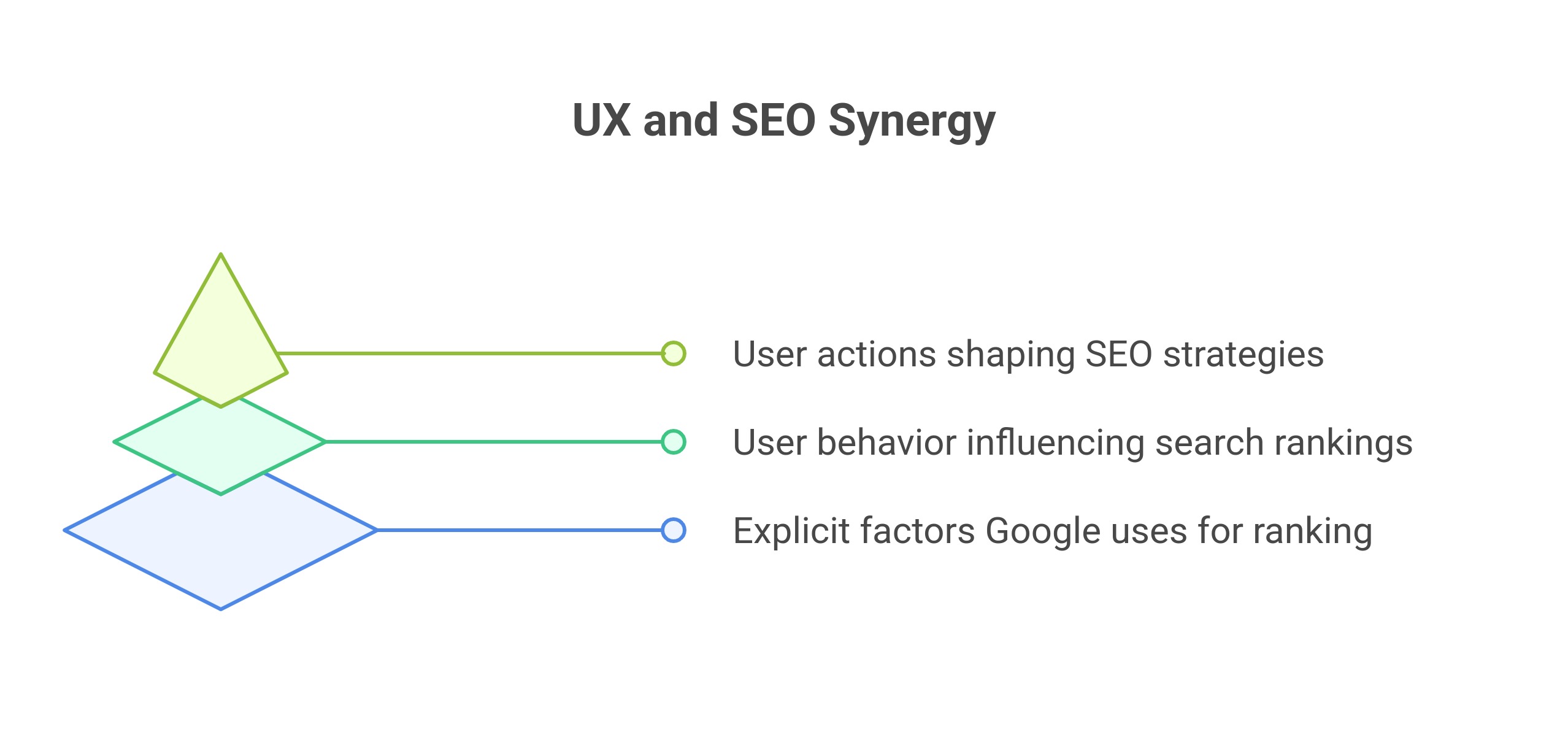
Hundreds of signals are involved in Google's algorithm to indicate how to rank these websites. But not all of them are direct levers you can pull. These are direct ranking signals: page speed, mobile-friendliness, HTTPS, and others that Google has confirmed it uses explicitly as factors that influence search rankings. Most of these items are included in Core Web Vitals, measurable aspects of user experience, along with issues such as load time, interactivity, and visual stability.
Indirect ranking signals are behavioral measures that may be affected by UX, but are things entirely out of your control. Examples are bounce rates, dwell time, and repeat visits. None of these are official ranking factors by themselves, but they hold some indication of how users interact with your content. When UX is bad—long load times, confusing navigation, egregious pop-ups—these metrics misfire, and Google, as it usually does, notices. Thus, the distinction is crucial: improving user experience not only helps users; it also optimizes these signals that pass through the scrutiny of Google to decide whether your page is valuable.
What Google Says vs. What Actually Happens in SERPs
Basically, Google has always laid down the law that its algorithm rewards high-quality and helpful content without making it clear how user experience affects SEO beneath the surface. Officially, Google mentioned that Core Web Vitals, mobile usability, and HTTPS are ranking factors in its algorithm. But SEOs are aware that this can be more than that. In reality, websites that offer better UX, SEO, clear navigation, responsive design, and fast performance tend to receive more clicks compared to those with sticky interfaces and higher bounce rates, even when compared against pages that have similar content.
That just produces the best possible result for the user, and not the optimized page. So, while, UX might not be a "ranking facto" as in the conventional sense but usually determines whether a user clicks, stays, converts or bounces back to the search results. In that way, user experience and SEO are deeply intertwined, even if the search engine never named it this way.
UX as a Feedback Loop
determining the connectivity between your website and search engines. When the user comes to a page and has a good experience, such as finding what they needed fast, easily navigating through the content, maintaining engagement, or even sharing the experience with others, all of those behaviors register a strong positive signal. Google monitors indicators like click-through rate (CTR), time on site, and user return to the SERP from your page or continue exploring your domain; these are the modes through which search engines will determine the practical usefulness of your page.
If users jump off rather quickly or bounce back to search results, that is a hint that the page failed to address the intent users had for landing on it, even if it was technically optimized in every way possible. These patterns of user behavior can affect the way you rank over a period of time. If anything, it is such graduated principles that have put forth the need for SEO to move beyond techniques related to tweaking the on-page stuff, but rather focus on creating a truly satisfying and intuitive experience for real human beings. When the UX improves, the behavioral metrics improve; when the behavioral metrics improve, the ranking follows. It's no spell; it's just a harmony of human needs and algorithmic objectives.
The Key UX Elements That Impact SEO Performance
User experience has become a crucial pillar of SEO, an area in which search engines favor those sites that give a smooth, intuitive, and user-focused experience. What does this mean for you? In this section, we will talk about the UX factors that affect website SEO in measurable terms, about how each of these factors contributes to better ranking, lower bounce rates, and increased user satisfaction. This is where UX and SEO intersect, with a direct bearing on your chances of visibility in search.
Page Load Speed and Core Web Vitals
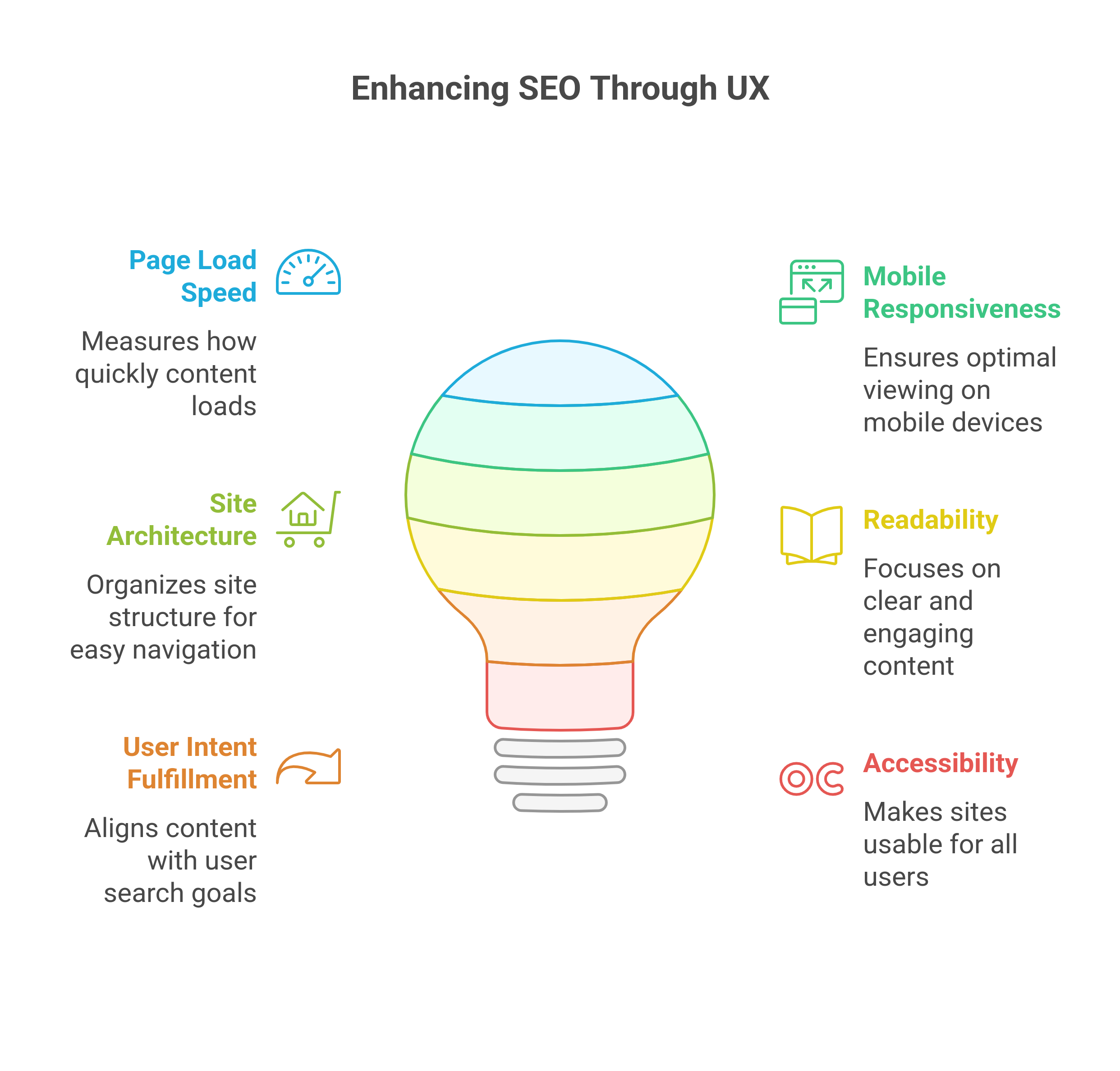
Page speed is more than just statistical data. It is therefore an expectation from users. When your site takes more than two seconds, users will stop visiting it. Such bounces not only hamper conversions; they are also clear indications to Google that the site may not be providing a quality experience. This is where Core Web Vitals come- Google performance-based UX metrics that directly affect search rankings.
Largest Contentful Paint (LCP): It measures the time taken for the loading of the main content. A slow LCP gives the impression of sluggishness of the site and frustrates the users.
Cumulative Layout Shift (CLS): Tracking the extent of the layout that unexpectedly shifts while loading. Budding buttons and images deteriorate UX in particular situations as mobile.
First input delay (FID): Measures interaction with the site by a user. A lag between input and output indicates a lack of polish, but also of performance.
For example, an e-commerce site that brought down its LCP from 4.2s to below 2.5s, found a 28% drop in the bounce rate and definite uplift expectations in rankings for product pages. Bottom line? Fast, stable performance and responsiveness are now non-negotiables in furthering SEOs.
Mobile Responsiveness and Cross-Device Experience
Google now uses mobile-first indexing by default. Hence, the ranking of any site is purely derived from its mobile version and not from its desktop version. Having said that, even in today's generation, very few websites are optimized for their mobile version, resulting in a broken menu, overlapping elements, and a clunky experience when accessed on mobile devices.
Silent killers of SEO are UX churns. A website that looks great on the desktop fails on a mobile device and is bound to suffer from less engagement metrics, low time-on-site, and ultimately drops in Google's ranking. Google takes notice of such behavioral patterns across devices, and so should you.
Ensure your site is absolutely responsive, has touch-friendly buttons, typographic scaling, and adaptively fluid layouts across all screen measurements. It should ensure that all devices have a consistent, pleasurable experience with enhanced user experience and SEO, keeping users tied down regardless of where they browse.
Site Structure and Navigation
The very architecture of the site is more than a sitemap blueprint for the users and search engines alike. Conducting a sound architecture could allow users to find their way without causing them any hassle and be easily crawled by the bots. Crawlability is the best factor for checking navigability.
A flat site structure is where each page is within only a few clicks away from the homepage, and usually, that is a better-performing site. This is because both users can access all other pages faster, and crawlers as well. Well-managed internal linking, in addition, should present a system to improve the user's flow, redistribute link equity, and help search engines understand the context and hierarchy.
One example was a B2B SaaS company that reorganized the categories under its blog and even had some smart internal links result was an increase in organic traffic by 34 percent within only two months. Navigation isn't just a matter of UX, it's where UX SEO gets down to business.
Readability and Content Design
It’s not just what you say, but how you present it. Dense blocks of text, poor formatting, and jarring visual clutter drive users away, even if the content itself is great. Clean design, clear content hierarchy, generous white space, and scannable formatting significantly increase user engagement. This matters for SEO because readable pages keep users longer, reducing pogo-sticking (users bouncing back to search results) and improving dwell time. Use subheadings, bullets, and short paragraphs to guide readers. Break up content with visuals or pull-quotes where relevant. When content is easy to consume, users are more likely to stay, scroll, and convert. That sends powerful engagement signals that reinforce your authority in search. Good design is good SEO.
User Intent Fulfillment
Ranking on Page 1 is meaningless if your page doesn’t satisfy user intent. Google’s ultimate goal is to match a user’s query with a result that solves their problem, answers their question, or meets their need. That’s why intent matching has become the most critical aspect of SEO in recent years.
There’s a dangerous UX pattern where a page is over-optimized to rank, but under-delivers when users arrive. This leads to high bounce rates and low time-on-site. If someone searches “how to improve SEO,” and your article gives vague tips instead of actionable steps, they’ll leave—and fast.
To bridge the gap between user experience and SEO, create content that maps directly to intent, whether it’s informational, transactional, or navigational. Know what your audience expects from the query and build the UX around delivering it quickly and clearly.
Accessibility and Inclusive Design
Accessibility is often treated as a compliance checkbox, but it’s a major user experience enhancer—and an underrated SEO advantage. A website that’s accessible to people with visual, auditory, cognitive, or motor impairments not only serves a wider audience but is often better structured for search engines.
Tools like screen readers rely on clean code, alt text, semantic HTML, and keyboard navigation—all of which align closely with SEO best practices. Plus, Google’s algorithms reward sites that are structured well and usable by all, even if accessibility isn’t a formal ranking factor.
Use tools like WAVE or Lighthouse to identify accessibility issues. Adding ARIA labels, ensuring color contrast, and avoiding mouse-only interactions can create a more inclusive experience—and enhance your UX SEO strategy at the same time.
How Behavior Metrics Interconnect UX and SEO
Behavioral metrics serve as the connective tissue between user experiences and SEO. They're not just out there floating in the void; the way they reflect behavior shows real users interacting with your content and how search engines interpret them as quality and relevance communication signals. Certainly not all behavioral metrics are treated like ranking signals; however, they will be important when Google continues to fine-tune its algorithm in favor of experiences that are helpful and satisfying. This entire section explains what's actually measured, why it matters, and how to optimize it for authentic engagement without getting caught up in clickbaiting.
What is Measured: Bounce Rate, Time on Page, Pages per Session, Dwell Time
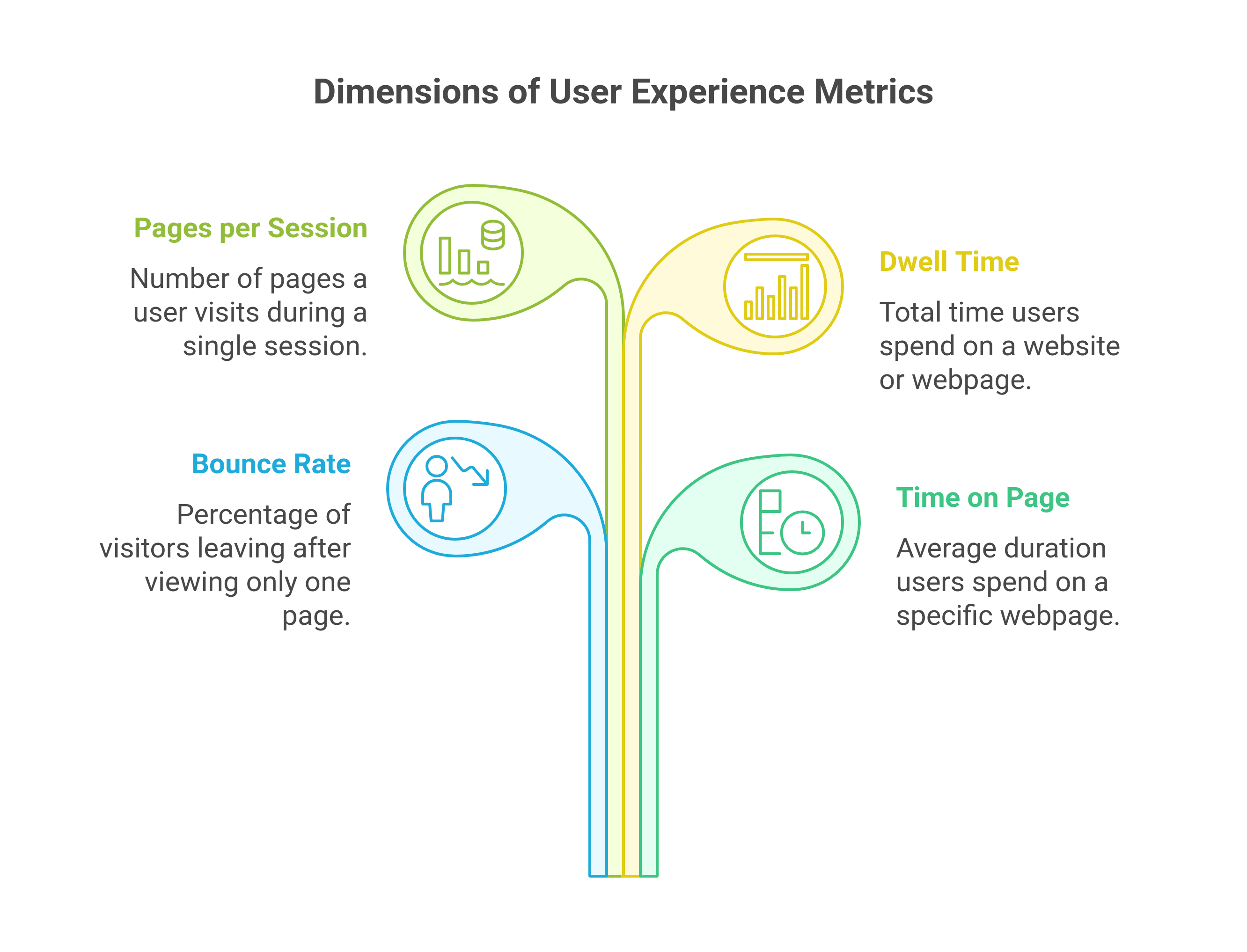
Several core user behavior metrics are commonly associated with SEO performance:
- Bounce Rate: The percent of users leaving your site after viewing only a single page. A high bounce rate may denote that users did not find what they were looking for or that the user experience was somehow confusing or frustrating.
- Time on Page: The length of time a user spends on a given page. Very short times may indicate thin or unhelpful content; long times suggest engagement and value. Pages per Session: The number of pages a user views in a single session. Higher numbers could indicate strong internal linking and an engaging content flow.
- Dwell Time: The time a user stays on your site before coming back to the search results. Dwell time is often used as a surrogate measure for relevance and content satisfaction.
Even though these metrics may not explicitly be called 'ranking factors', they certainly do play a very important role in how search engines perceive the quality of user experienceand thus they are powerful diagnostic tools for pinpointing UX issues that can hinder your website's SEO.
Why These Metrics Are Interpreted as Signals of Experience Quality
Search engines want to deliver the best result, rather than one merely optimized for its keywords. Consequently, there is increasing reliance on behavioral data to interpret how well a page satisfies user intent. If users are bouncing quickly from a page repeatedly, Google may incorrectly assume it's because the page offers a poor experience or is lacking in valuable information. But when users do the opposite—linger on a page, scroll, click, and engage—this shows that it is giving them something worthwhile.
This is where SEO and UX truly converge. A fast-loading, easy-to-use, mobile-friendly site, therefore, will shine brighter by all behavioral performance rate measures. Good UX builds enough trust to entice users to conduct further exploration; bad UX just sends users packing before they've even given the site a shot at engaging them. Google learns from both the good pattern and bad.
Behavioral Optimization vs. Clickbait Manipulation
Gimmicks are very tempting when it comes to trying to improve metrics-profound headlines, wild exaggeration of value, or misleading CTAs that torch click-through rates. They may boost click rates in the short term, but generally, they produce a bad user experience, low satisfaction, and an increase in bounce rates. Google isn’t fooled.
Real behavioral optimization means clarity, relevance, and intent fulfillment. That is, deliver what you promised in the title, structure content for easy scanning and digestion, and lead the user to meaningful next steps. Rather than trying to dupe users into staying longer, you are creating experiences worth staying for. Having said all this, improving such metrics is not about manipulating the system; instead, they are about aligning with user needs. And guess) What search engines reward is just this.
Mistakes in UX design that end up harming SEO
However, the very thing that is designed to impress the users may, in actuality, be the reverse. Terrible UX will harm engagement metrics, annoy visitors, and destroy their SEO performance in silence. Many UX decisions that look good or trendy could impose barriers to users and bots alike. Here, we'll cover some frequent UX blunders that mess with good UX/SEO alignment and explore why doing so can hurt your search visibility.
Overuse of Pop-ups, Interstitials, and Intrusive Designs
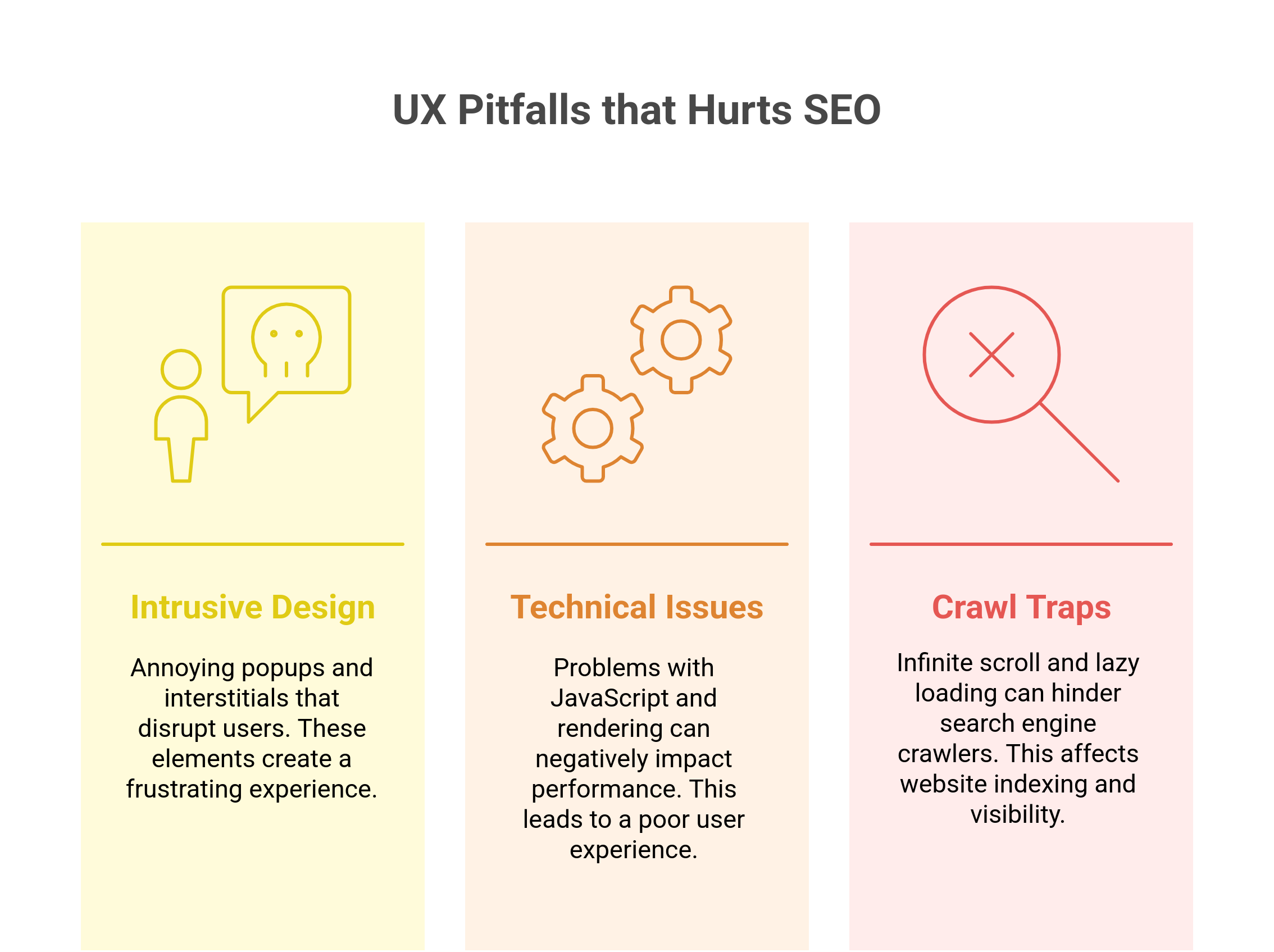
The fastest way to destroy a user experience and your ratings is by bombarding users with pop-ups, autoplay videos, and full-screen interstitials. While these features may increase email signups or ad impressions in the short term, they generally lead to:
Frustration-induced increases in bounce rates
Decreased time on page
Poor mobile usability scores
Google is specifically penalizing the "intrusive interstitials" on mobile, especially the ones that block content just after a user clicks it from search. Such interstitials include welcome mats, email gates, and even confusingly modal windows, which are complex to dismiss. Instead, one should adopt non-disruptive user-initiated UX practices such as slide-ins initiated by intent or exit.
The Misuse of JavaScript and Its Rendering Problems
It's true that JavaScript is at the core of web experiences today. But misusing or poorly implementing it can break the best website’s bridges between the content and search engines. Most websites depend on JavaScript frameworks for creating content and cross-linking. The effect of such practices:
Key content may become invisible to crawlers.
Internal links can become untraceable.
Pages are shown as "empty" while indexing.
As it stands, this can collapse your SEO foundation even if your user experience appears terrific. You should generally evaluate with the likes of Google Search Console's URL Inspection or the Mobile-Friendly Test. Server-side rendering (SSR) or hydration strategies can also help balance dynamic UX and SEO performance.
Infinite Scroll, Lazy Loading, and Crawl Traps
With proper technical implementation, infinite scrolling can keep users glued to the site, but as far as search engines are concerned, it can be a black hole. If content loads only via scroll-triggered JavaScript, Google may never see it; the same applies to improperly configured lazy loading, preventing images and key content from being indexed. Other crawl traps include:
Endless pagination loops
Faceted navigation, which propagates thousands of near-duplicate URLs
Uncrawlable anchor links or JavaScript-based links
These UX patterns don't just confuse users, but also make crawlers confused, inflate your crawl budget, and dilute ranking signals. If you implement infinite scroll, provide normal paginated URLs behind the scenes. For lazy loading, ensure that the elements employ standard HTML tags and fallback mechanisms.
How to Audit Your Website’s UX for SEO
User experience and SEO improvement must come only from knowing exactly where your site stands. A UX-focused SEO audit helps to discover hidden friction points inhibiting ranking, engagement, and conversion-often without your realization. This section guides you through a structured step-by-step UX audit process involving technical foundations, behavioral signals, and visual design. With it comes recommended tools and a framework to prioritize what to fix first based on projected impact.
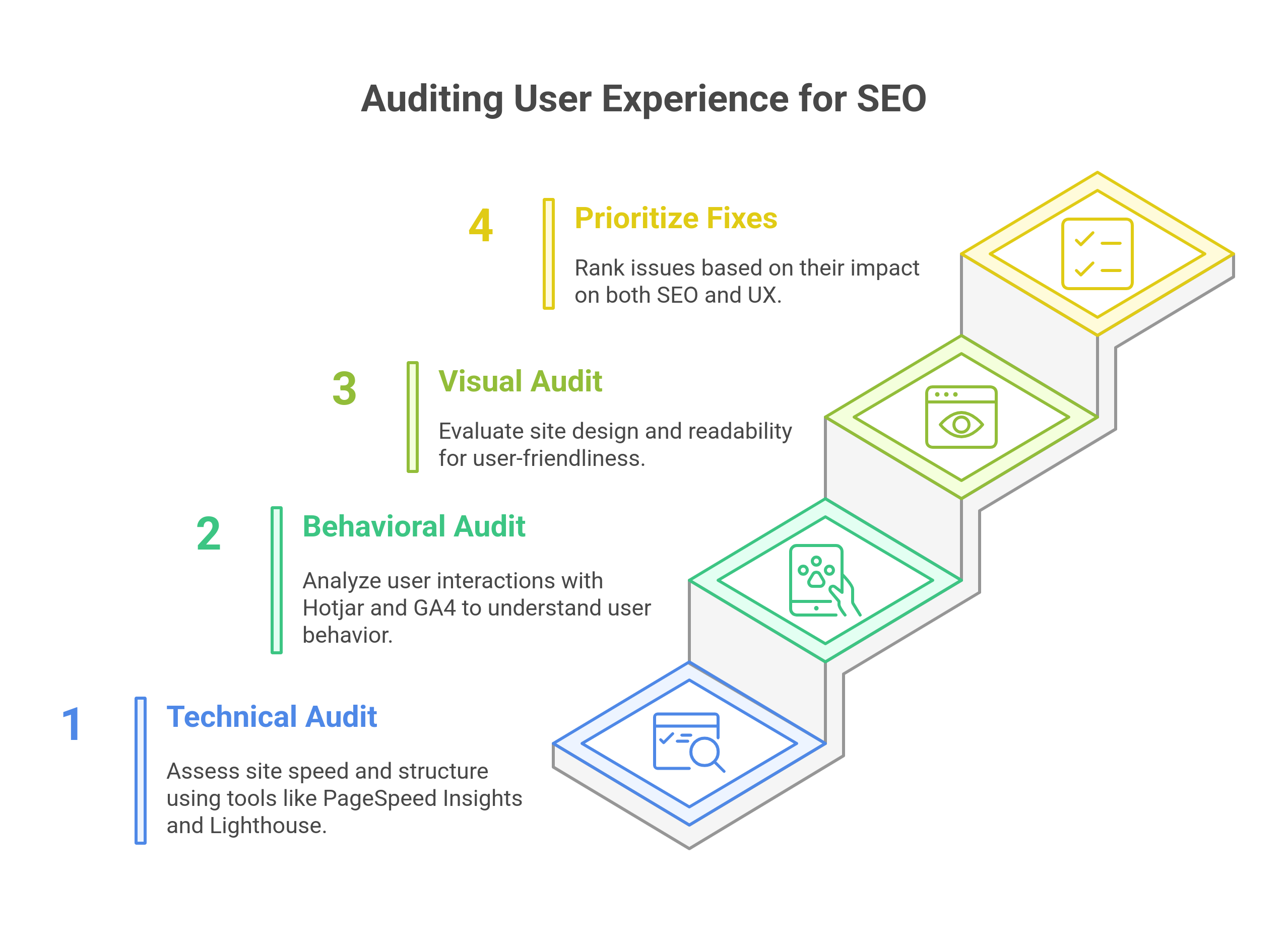
Step-by-Step Audit Checklists: Technical, Behavioral, Visual
A proper UX-SEO audit does not just concern one angle of the site, it encompasses the entire design, including performance, usability, accessibility, and user behavior. Here is a simplified account of each:
- Technical UX Audit (Crawlability, Speed, Accessibility)
- Test page load speed across devices and locations
- Evaluation of Core Web Vitals: LCP, CLS, FID
- Mobile responsiveness/Viewport compatibility
- Crawlability Audit: XML Sitemaps, Robots.txt, Canonical tags, Structured data
- JavaScript rendering, lazy loading, and infinite scroll audit
- Accessibility: alt text, ARIA roles, contrast, and keyboard navigation
Tools to use: PageSpeed Insights, Lighthouse, Hotjar, GA4, Search Console
The above tools make it easier not only to address each of the steps above:
- Google PageSpeed Insights: Gives Core Web Vitals data and specific load-time suggestions.
- Lighthouse: Chrome Auditing Tool covering performance, accessibility, and SEO metrics.
- Google Search Console: Indexing issues, performance trends, and mobile usability problems identified.
- Google Analytics 4 (GA4): Measures user engagement and behavioral signs at the page level in conjunction with performance.
- Hotjar/Microsoft Clarity: This helps you visualize what real users do through heatmaps and recordings.
Tools not just identify, but also categorize actionable insights that could strengthen UX SEO alignment to improve.
Conclusion
Gone are the days when user experience and SEO strategies were completely independent concepts. Search engines have moved on since, and they have begun to prioritize experience relevance over strict keyword relevance in identifying sites that deliver real value through performance, usability, accessibility, and satisfaction of intent. In other words, nowadays, you can't do UX SEO as an option; it takes a monumental position in long-term visibility and trust.
Improving user experience not only leads to an elevation in your ranks but also leads to reduced bounce rates, increased engagements, and ultimately establishes a loyal following. On the other hand, popular search optimization techniques make sure that all high-quality experiences are discoverable, indexed, and in line with what the audience is really looking for. Hence, when UX and SEO are well integrated, they give rise to a flywheel effect: better experience leads to better engagement, which leads to better rankings, which leads to more traffic, and vice versa. By gaining the insight of users, improvement of the SEO level, and thereby sustainability and future-proofing, must involve looking at one's website through the lenses of one's users.


